
The Short Answer
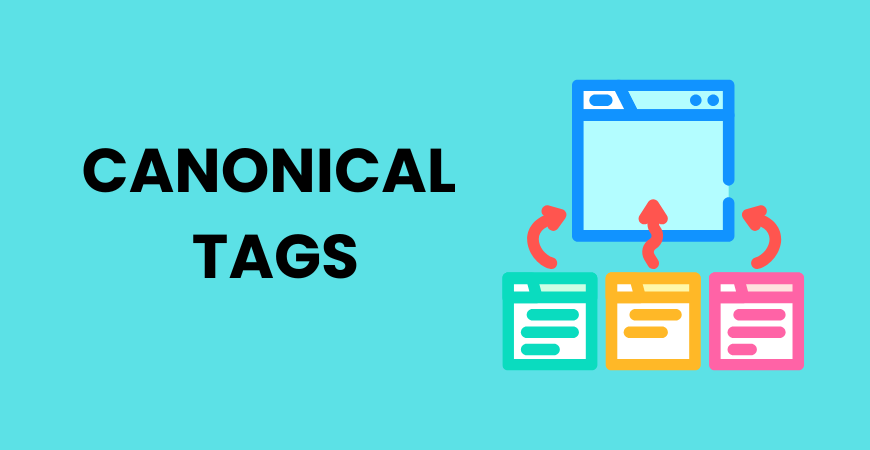
Canonical tags tell search engines which URL should be treated as the preferred version when multiple URLs contain identical or very similar content. They help search engines understand your preferred page, consolidate SEO signals, and reduce confusion caused by duplicate or near-duplicate URLs.
Introduction
Canonical tags are an important part of technical SEO, especially for websites that have multiple URLs showing similar content. Ecommerce filters, tracking parameters, product variations, and duplicate page versions can all create URL variations.
A canonical tag helps search engines understand which version you consider the primary page. It does not redirect visitors or delete duplicate pages. Instead, it provides a signal about your preferred URL.
What Is a Canonical Tag?
A canonical tag is an HTML element that tells search engines which URL represents the preferred version of a webpage.
It is normally placed inside the <head> section:
<link rel=”canonical” href=”https://example.com/seo-guide/”>
The rel=”canonical” attribute identifies the preferred URL.
For example, imagine these URLs exist:
- example.com/seo-guide/
- example.com/seo-guide/?source=email
- example.com/seo-guide/?utm_campaign=spring
They may display essentially the same content. A canonical URL can tell search engines that example.com/seo-guide/ is the preferred version.
This process is called canonicalization. It helps search engines understand the relationship between similar URLs and determine which version should generally receive priority.
Understanding canonicalization is an important part of technical SEO, because it deals with how search engines interpret and organize website URLs.
How Do Canonical Tags Help With SEO?
Canonicalization can solve several common URL management problems.
1. Helps Search Engines Identify the Preferred URL
Websites can generate multiple URLs for the same content. This often happens because of tracking parameters, filters, sorting options, or different navigation paths.
A canonical signal gives search engines a clear preference.
For example, an ecommerce website might have:
- /shoes/
- /shoes/?color=black
- /shoes/?size=10
- /shoes/?sort=price
If these versions are substantially similar, the website can identify the preferred URL through canonicalization.
However, canonical tags are signals rather than absolute commands. Search engines can choose a different canonical URL if their other signals indicate that another version is more appropriate.
2. Helps Consolidate SEO Signals
Different versions of the same page may receive links or other SEO signals separately.
For instance, one website might link to the clean URL while another links to a URL containing tracking parameters. Canonicalization can help search engines understand that these URLs represent the same content and that one version is preferred.
This can be particularly useful for large websites where thousands of URL variations may exist.
3. Helps Manage Duplicate Content
Duplicate content is not automatically an SEO penalty. However, multiple URLs containing the same or substantially similar content can make URL management more complicated.
Canonicalization helps communicate which version should generally be treated as the primary one.
For example, a product could be accessible through several category paths:
- /electronics/phones/product-x/
- /smartphones/product-x/
- /products/product-x/
If these URLs contain the same product information, selecting an appropriate canonical URL can help establish a preferred version.
When reviewing these relationships, duplicate content should be considered alongside other technical signals rather than treated as a standalone ranking problem.
4. Supports Efficient Website Management
Large websites can generate huge numbers of URLs through filters, parameters, and sorting features.
Canonicalization gives search engines additional context about which versions are preferred. It does not block crawling, but it can make the website’s URL relationships clearer.
A broader SEO Audit can help identify incorrect canonical URLs, duplicate pages, redirect problems, and other technical issues that may affect how search engines interpret the site.
When Should You Use a Canonical Tag?
Canonicalization is useful when several URLs represent the same or substantially similar content.
| Situation | Possible Canonical Approach |
| Duplicate URLs | Point to the preferred version |
| Tracking parameters | Usually point to the clean URL |
| Filtered pages | Choose a primary version when appropriate |
| Product variations | Identify the main version where relevant |
| Alternate URL paths | Select the preferred URL |
| Same page with different parameters | Consolidate toward the clean version |
For example, a marketing campaign might generate:
example.com/services/?utm_source=newsletter
The parameter helps track traffic but does not necessarily represent a different page. The clean service URL can therefore be the preferred version.
However, do not automatically canonicalize every similar-looking URL. If two pages have different purposes and search intents, they may deserve to remain separate.

What Is a Self-Referencing Canonical?
A self-referencing canonical points to the same URL on which it appears.
For example, if the page is:
https://example.com/technical-seo
the canonical can be:
<link rel=”canonical” href=”https://example.com/technical-seo/”>
This tells search engines that the current URL is the preferred version.
Self-referencing canonicals can provide a consistent signal, particularly when a website has systems that generate URL variations.
They should still be supported by consistent internal links, redirects, and sitemap URLs.
This is closely connected to SEO site architecture, because a well-organized website makes it easier for search engines to understand how pages and URLs relate to each other.
Canonical Tag vs 301 Redirect
Canonical tags and 301 redirects are often confused, but they serve different purposes.
| Canonical Tag | 301 Redirect |
| Signals a preferred URL | Permanently sends users to another URL |
| Original URL remains accessible | Original URL redirects |
| Useful for similar or duplicate versions | Useful when a URL has been permanently replaced |
| Mainly provides a search-engine signal | Affects users and crawlers |
Suppose a website permanently moves /old-service/ to /new-service/. A 301 redirect is generally more appropriate because visitors should automatically reach the new page.
If both URLs need to remain accessible but one is the preferred version, canonicalization may be more suitable.
Once you begin working with multiple URLs, internal linking also matters. Your internal links should generally point directly to the preferred URLs instead of unnecessarily linking to parameter-based versions.
How to Add a Canonical Tag
Method 1: Add It to HTML
Developers can place the canonical element inside the page’s <head>:
<link rel=”canonical” href=”https://example.com/preferred-page/”>
The URL should represent the version you genuinely want search engines to prioritize.
Method 2: Use an SEO Plugin
Many WordPress SEO plugins allow website owners to set or edit the canonical URL without modifying HTML manually.
The important part is not the tool itself. It is choosing the correct preferred URL.
Method 3: Manage Ecommerce URLs Carefully
Ecommerce websites need extra attention because filters, variations, sorting options, and parameters can create many URL combinations.
Before adding a canonical, determine whether the alternate URL represents genuinely useful content or simply another version of an existing page.
Common Canonical Tag Mistakes to Avoid
Incorrect implementation can create conflicting signals.
- Pointing to the wrong URL: The canonical should represent the genuinely preferred page.
- Using multiple canonicals: Multiple conflicting signals can create uncertainty.
- Creating canonical chains: Point directly to the intended preferred URL when possible.
- Canonicalizing unrelated pages: Similar keywords do not mean two pages are duplicates.
- Using unsuitable canonical URLs: Avoid pointing to blocked, broken, or otherwise inappropriate URLs.
- Canonicalizing everything to the homepage: Each page should have a logical canonical relationship.
- Ignoring HTTPS consistency: Use the correct preferred protocol consistently.
- Forgetting to update canonicals: Review them after migrations, URL changes, and major site restructuring.
Your XML sitemap should also generally contain preferred versions of URLs. This makes XML Sitemap management another useful part of a consistent canonicalization strategy.
Canonical Tags vs Noindex: Which Should You Use?
Canonicalization and noindex solve different problems.
| Canonical | Noindex |
| Signals a preferred URL | Requests that a page not appear in search results |
| Useful for duplicate or similar versions | Useful when a page should not be indexed |
| Helps identify the primary version | Controls indexing eligibility |
If two similar pages need to remain accessible but one is preferred, canonicalization may be appropriate.
If a page should not appear in search results, noindex may be more suitable.
Do not use noindex simply because you want search engines to understand which duplicate URL is preferred.

Frequently Asked Questions
What are canonical tags in SEO?
Canonical tags are HTML signals that tell search engines which URL should be treated as the preferred version when multiple URLs contain identical or substantially similar content.
How do canonical tags help SEO?
They help search engines understand URL relationships, identify preferred pages, and potentially consolidate SEO signals associated with similar URLs.
Does every page need a canonical tag?
Not necessarily. Many pages can use self-referencing canonicals, but implementation should depend on the website’s URL structure and content strategy.
Do canonical tags prevent duplicate content?
No. They do not remove duplicate pages. They simply provide a signal about which version should generally be considered preferred.
What is the difference between a canonical tag and a 301 redirect?
A canonical tag signals a preferred URL while keeping the original URL accessible. A 301 redirect permanently sends users and crawlers to another URL.
Can canonical tags hurt SEO?
Incorrect canonicalization can cause problems. If an important page points to the wrong canonical URL, search engines may misunderstand which version you want prioritized.
Can multiple pages have the same canonical URL?
Yes. This can be appropriate when several URLs represent the same or substantially similar content and one URL has intentionally been selected as the preferred version.
Conclusion
Canonical tags help search engines identify the preferred URL when multiple versions contain similar content. They support cleaner URL management and help consolidate SEO signals. Choose the preferred URL carefully and keep internal links, sitemaps, redirects, and other technical signals consistent.
For learners building broader digital marketing knowledge, understanding technical SEO concepts like canonicalization can be valuable as part of digital marketing training. These concepts can help marketers make better decisions about website structure, indexing, and search visibility. The Academy of Digital Marketing (ADM) covers technical SEO alongside other important areas of digital marketing.

